Launch Fido inside a GitHub repo and land in that repo's community board. Talk with the people working on the same code, without leaving the terminal.
$
cargo install fido
View on GitHub
Live Demo
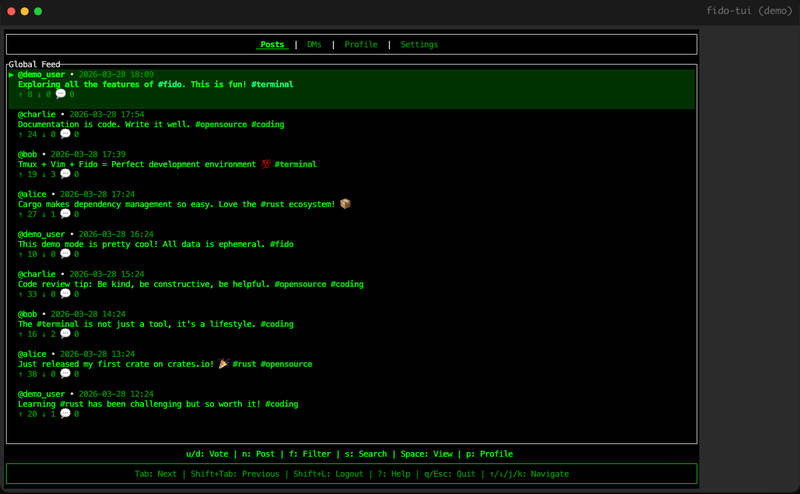
Tab switch tabs · j/k scroll · n compose
fido-tui — demo
Visit on desktop for a preview
How Fido Works
01
Repo-Scoped
Start Fido in a GitHub repo and it opens that repository's community.
02
GitHub-Linked
Communities are created from GitHub owner/name pairs and tied back to the repo.
03
Terminal-Native
Threads, replies, chat, settings, and DMs stay keyboard-driven.
04
Maintainer Aware
Repo admins and maintainers can claim the matching Fido community.
Features
- Repo community auto-detection
- Home view for joined communities
- Community threads and replies
- Channels for repo chat
- Maintainer community claims
- Direct messaging
Tech Stack
Frontend
Rust + Ratatui
Backend
Axum REST API
Database
SQLite
Deploy
Docker + ttyd
Next
Planned
01
Repo-Aware CLI Commands
Send a message or post to the current repo community without opening the full TUI.
Planned
02
Deeper GitHub Signals
Use repo roles, contribution history, and membership to shape community controls.
Planned
03
Live Repo Boards
Realtime updates for threads, channel messages, and notifications.